NOWHERE SHINES BRIGHTERNOWHERE SHINES BRIGHTERNOWHERE SHINES BRIGHTERNOWHERE SHINES BRIGHTERNOWHERE SHINES BRIGHTERNOWHERE SHINES BRIGHTERNOWHERE SHINES BRIGHTERNOWHERE SHINES BRIGHTERNOWHERE SHINES BRIGHTERNOWHERE SHINES BRIGHTERNOWHERE SHINES BRIGHTERNOWHERE SHINES BRIGHTERNOWHERE SHINES BRIGHTERNOWHERE SHINES BRIGHTERNOWHERE SHINES BRIGHTERNOWHERE SHINES BRIGHTER

Mobile Tickets
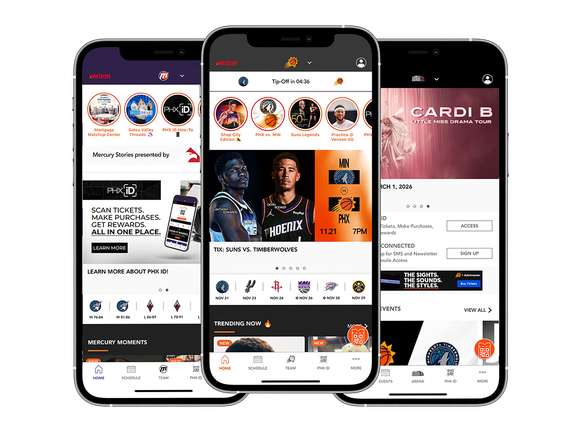
Download the Suns-Mercury-Mortgage-Matchup-CTR App


Downloading and Accessing Your Tickets
If you purchased your tickets via Ticketmaster or Mortgage Matchup Center Box Office
- Open the Suns-Mercury-Mortgage-Matchup-CTR App (Download: Android | iOS) or go to Ticketmaster.com on your smartphone.
- Sign in via My Account
- Tap My Events to find your order
- Tap View Tickets to access your tickets
- You must add your tickets to your digital wallet
If on the Suns-Mercury-Mortgage-Matchup-CTR App select the Mortgage Matchup Center icon at the top of the app.
LINE-UP
Upcoming Events
Discover a variety of exciting concerts, sports games, and entertainment shows happening at Mortgage Matchup Center, ensuring you're always in the loop about the must-see events at this premier venue. Whether you're a music enthusiast, a sports fan, or looking for family-friendly entertainment, this section provides all the latest updates to keep you informed.
Copyright 1992-2026 | Mortgage Matchup Center | All Rights Reserved.